Government
ACA Section 1557 raises accessibility stakes for patient kiosks
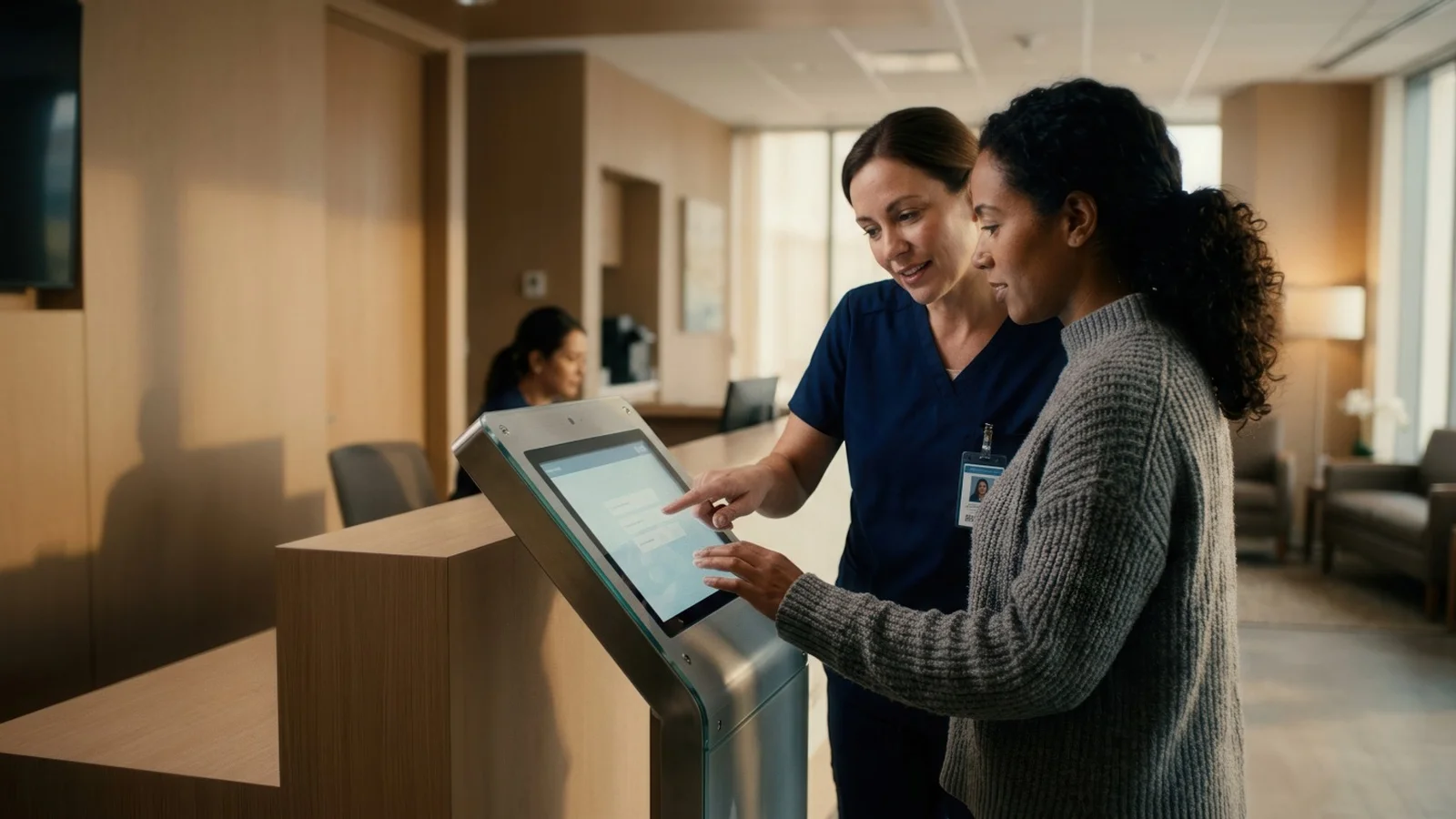
Patient check-in and payment kiosks can improve efficiency, reduce paperwork and shorten lines, but they can also create barriers for those with disabilities. For hospitals, clinics and other health care organizations, their obligation extends to services delivered via technology.
August 11, 2026 by Richard Slawsky — Editor, Connect Media
 ChatGPT
 Grok
Grok Perplexity
 Claude
Patient check-in and payment kiosks can improve efficiency, reduce paperwork and shorten lines, but they can also create barriers for patients with disabilities. Section 1557of the Affordable CareAct requires covered health programs and activities to provide their services without discrimination based on race, color, national origin, sex, age or disability.
Section 1557 provides the overarching nondiscrimination requirement, while the related Section 504 regulations offer more specific guidance for federally funded health care organizations using kiosks. For hospitals, clinics and other health care organizations covered by the law, including many that receive federal financial assistance, their obligation extends to services delivered through information and communication technology.
Section 1557 does not contain a detailed engineering standard exclusively for kiosks. Instead, it establishes a broader obligation: Health programs and activities delivered through technology must be accessible to people with disabilities unless accessibility would fundamentally alter the program or create undue financial and administrative burdens. Even when an organization can establish one of those exceptions, it must take other available steps to provide the service to the greatest extent possible.
Accessibility extends beyond the touchscreen
The growth of patient self-service makes the issue increasingly consequential.Future Market Insightsestimated the global patient self-service kiosk market at about $1.4 billion in 2025 and projected it would reach $6.3 billion by 2035, a compound annual growth rate of 16.6%. Research Nesterpublished a similar forecast, placing the 2025 market above $1.45 billion and projecting $6.29 billion in revenue by 2035. The estimates include check-in, registration, payment and other patient-facing functions, so they should not be read as measurements of check-in hardware alone.
A patient kiosk should not be considered accessible merely because a wheelchair user can approach it. Accessibility encompasses the full transaction, including identifying the kiosk, reading instructions, entering information, reviewing privacy notices, signing documents, scanning identification and insurance cards, making payments and receiving confirmation.
Danish Khan, a UI/UX designer and accessibility researcher, said in an email interview that deployers must evaluate the complete patient journey.
"This includes reaching the kiosk, reading the screen, entering information, correcting errors, using the payment terminal, receiving a receipt and ending the session safely," Khan said. "Important features include speech output, tactile controls, captions, strong contrast, clear language, larger touch targets, adjustable time limits and controls that can be reached from a seated position."
Physical considerations include clear floor space, an accessible approach and controls positioned within usable reach ranges. Screens should remain readable from both seated and standing positions. Payment terminals, card readers, scanners, printers and signature devices also must be reachable and operable without requiring excessive strength, precise movements or two-handed operation.
The interface should use readable type, strong color contrast, clearly labeled controls and a consistent navigation structure. Instructions should not rely entirely on color, sound or visual symbols. Patients should have enough time to complete each step, with the ability to extend a session before it expires. Error messages should explain the problem and tell the patient how to correct it.
Speech output and privacy
A touchscreen-only kiosk may be unusable by someone who is blind or has low vision. Speech output can make onscreen information available through audio, but it must be implemented carefully in a health care setting. The system should provide a standard headphone connection or another private listening method so medical, insurance and payment information is not announced publicly.
Audio navigation should cover the entire workflow, not merely the welcome screen. A patient should be able to hear menu choices, field labels, entered information, error messages, payment instructions and transaction confirmation. Volume controls, repeat functions and the ability to pause speech also improve usability.
Johann Flipo, founder of European accessibility monitoring company Inclaria, said in an email interview that the European Accessibility Act offers a useful comparison even though its rules do not map directly onto Section 1557.
The European requirements for covered terminals include text-to-speech, support for personal headsets, adequate contrast, tactilely discernible keys, multisensory timeout warnings, extendable response times and compatibility with hearing aids and telecoils. Flipo noted that the European law generally covers payment terminals, but health care check-in machines are not automatically covered unless their functions fall within another regulated category.
He cautioned that an accessibility feature must itself be independently discoverable.
"A terminal must not require an accessibility feature to be activated in order for a user who needs it to turn it on," he said. "A screen reader buried in a settings menu that cannot be navigated without sight fails the requirement no matter how good the feature itself is."
Section 1557 requires covered entities to ensure that communications with people with disabilities are as effective as communications with other patients. Appropriate auxiliary aids and services must be provided when necessary, without charge, in a timely manner and in a way that protects the patient's privacy and independence.
Alternative input methods
Speech output alone does not make a kiosk accessible. A blind patient still needs a way to control the interface, while a person with limited dexterity may be unable to use small touchscreen targets or perform gestures such as swiping and pinching.
Possible alternatives include a tactile keypad, directional controls, an accessible physical keyboard or compatibility with assistive devices. Touch targets should be large, well-spaced and operable with a single touch. The kiosk should not require rapid movements, simultaneous key presses or drag-and-drop actions when a simpler selection method can accomplish the same task.
Tate Hilmoe, a privacy attorney at Hilmoe Bertier LLP and chief legal officer of Proto Inc., which develops holographic communications systems, said in an email interview that Section 707 of the 2010 ADA Standards for ATMs and fare machines may offer a useful technical reference.
"This appears to require a non-biometric path," Hilmoe said, while noting that his comments were not legal advice. That consideration becomes especially important when a kiosk uses face or fingerprint matching. Hilmoe said deployers should identify exactly what kiosk sensors collect, trace the data flow and review the vendor and subprocessor list.
Depending on the location and use, biometric collection also may trigger state privacy requirements, including notice and written consent obligations. Biometric templates collected for authentication should not be repurposed for unrelated uses such as model training.
Designers also should account for patients who are deaf or hard of hearing. Spoken instructions and alerts should have visual equivalents, while videos should include accurate captions. Patients with cognitive, neurological or learning disabilities may benefit from plain language, short instructions, predictable navigation and the ability to go back without losing previously entered information.
Staff assistance remains an option, with conditions
Federal regulationsrecognize that some organizations may use an alternative procedure when a kiosk is not independently accessible. A clinic, for example, could allow a patient to bypass the kiosk and check in directly with an employee.
Still, the alternative must provide the same access, convenience and confidentiality available to other patients. Sending a patient to another floor, making the person wait substantially longer or requiring sensitive information to be spoken within earshot of others may not provide an equivalent experience.
Staff members should be trained to recognize accessibility barriers, offer assistance without being patronizing and know how to provide reasonable modifications. An assistance option should be clearly identified at the kiosk and available during all hours when self-service is offered.
"From an accessibility design view, the main legal risk starts when the kiosk becomes the only practical way to check in or pay," Khan said. "A patient should not lose privacy, queue priority, independence or access to a service because they cannot use a touchscreen."
A staff-assisted option should provide the same waiting priority, privacy and service without an additional charge, and employees should be prepared to help without requiring patients to disclose sensitive information in a public area.
The practical takeaway for deployers
HHS hasacknowledgedthat nocomprehensive federal technical standard has been finalized specifically for closed-function kiosks. That does not remove the obligation to provide equal access. It means health care organizations must evaluate whether patients with different disabilities can complete the entire transaction independently or receive a genuinely equivalent alternative.
Accessibility should be addressed during procurement rather than after installation. Requests for proposals should define accessibility requirements, require vendors to document testing and include people with disabilities in usability evaluations. Organizations should also test every peripheral and workflow after software updates.
Testing should include people who are blind or have low vision, people with limited reach or hand movement, people who are deaf or hard of hearing, and people with cognitive or learning disabilities. Automated scans can identify some interface defects, but they cannot establish that a patient can independently complete a real transaction.
As Khan pointed out, an inaccessible kiosk can cause a missed check-in, delayed care, loss of privacy or an incorrect payment. Accessibility, then, is part of patient safety and service quality, not simply a final compliance review.
The question is not simply whether a kiosk includes accessibility tools. It is whether every patient can check in, make a payment and protect their private information with equal independence, timeliness and dignity.
About Richard Slawsky
In addition to writing, Slawsky serves as an adjunct professor of Communication at the University of Louisville and other local colleges. He holds both a Bachelor’s and a Master’s degree in Communication from the University of Louisville and is a member of Mensa and the National Communication Association.
Related Media
Subscribe
Get the latest news and resources from Kiosk Marketplace.
Recent Posts